Showing posts with label Tamaki College. Show all posts
Showing posts with label Tamaki College. Show all posts
Wednesday, 15 November 2017
What it means to be Successful!
Something I’ve achieved and proud of is getting a certificate in Music. I was proud of myself because I’ve learnt how to read music also play along on Piano and Violin. I also experience playing in the church choir band, with a whole lot of other churches. Being successful in Music was goal I’ll never think I’ll achieve.

Thursday, 21 September 2017
Our Political Party Presentation - The Help
My group has been learning about Parties and goverments and we are called the "The Help" check out our presentation for more information. Thank you.
Friday, 4 November 2016
Technology - Issues of the Game

Here is my example of a my game on mindmup, to help you identify the stakeholders of (People or groups of people) who are related to your game. This is also an example of the issues, as well as the need or opportunity that adresses the issues.
Friday, 28 October 2016

Friday, 23 September 2016
Merit - Technology
Scratch Tool - Script Name | What does the script look like? | What does the script do? |
New Backdrop
|  |
The step allows us to create our backdrop for our own Pong game
|
New sprite
|  |
This allows us to choose a new sprite for our Pong Game
|
Movements
|  |
When the green flag is clicked, the sprite (ball) will point in direction of 45 degrees, the sprite will forever move 15 steps, BUT, if the sprite touches the edge, it will bounce back
|
New Sprite (Paddle)
| 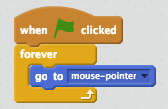 |
This allows the sprite to move when the the green flag is clicked, it will forever move to where the mouse is pointing
|
Movements
|  |
When the green flag is clicked, it will forever turn 180 degrees, IF sprite (Ball) touches the paddle, then wait 1 second
|
Sounds
| 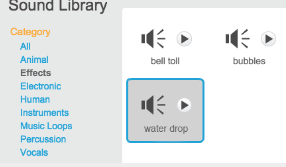  |
This allows us to choose a sound to put in our Pong Game
|
Movement
| 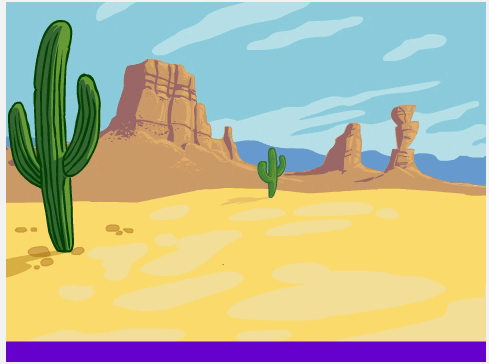  |
When green flag is clicked, IF
the sprite hits the Purple line, GAME OVER! You start again
|
Score
|  |
When green flag is clicked, when the ball hits the paddle the score changes by 1 point
|
Friday, 13 February 2015
Learning How To Use Scratch

Today I logged into Scratch. I learned how to create my own animate story. While I creating my story I found a file with all kinds of sound for the story I was going crazy with the sounds it was fun.
Subscribe to:
Posts (Atom)